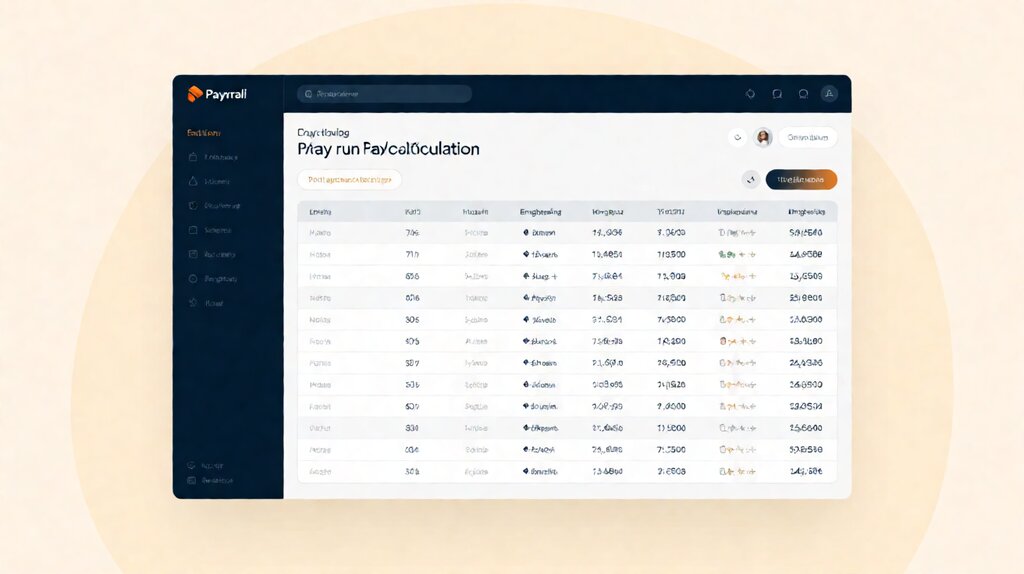

A payroll service is a software-and-filing operation that calculates each employee’s gross-to-net pay, withholds the right federal and state taxes, deposits those taxes with the IRS and state agencies on the right dates, files periodic payroll-tax returns on the employer’s behalf, and issues year-end W-2s (and 1099-NECs for contractors, on most platforms).
The service sits between the employer’s bank account and the employee’s bank account; the employer runs a pay run, the service does the math and the filings, the service debits the employer for net wages plus taxes, and direct deposits land in employee accounts on payday.
Run a quick stress-test: the day you hire your first W-2 employee, your obligations change overnight.
You now owe federal income tax withholding (usually deposited semi-weekly or monthly depending on size), Social Security and Medicare (the combined 15.3% FICA), federal unemployment tax (FUTA, only on the first $7,000 per employee per year), state income tax withholding (most states), state unemployment tax (SUTA, only on the wage base, varies by state and your experience rating), and in some states a local tax.
Each of these has a different filing cadence and a different deposit deadline.
Running payroll by hand means mastering all of it on day one; using a payroll service means the service does it on day one and you pay $6 to $25 per employee per month to never have to think about it.
A payroll service is the right move when you have your first W-2 employee, when your single-member LLC elects S-corp and now owes you a salary through a payroll run, or when you want to outsource the deposit and filing work.
A payroll service is the wrong move if you only pay independent contractors on 1099-NEC (you can use invoicing + 1099 software instead, with no payroll needed).
Key facts: A US payroll service calculates gross-to-net each pay cycle, files Form 941 quarterly, files Form 940 annually, issues W-2s at year end, deposits federal income and FICA taxes either semi-weekly or monthly based on the IRS lookback rule, and deposits state withholding and unemployment taxes on the state’s own schedule.
Most services handle new-hire reporting via W-4 and state-equivalent forms.
Base monthly fee runs $0-$80; per-employee fee runs $4-$25; the cheapest credible US service is Patriot at $17/month base plus $4/employee for the basic tier, and Gusto at $40/month base plus $6/employee for the Simple tier.
A small US business with 5 W-2 employees pays roughly $80 to $180 per month for payroll service fees depending on the plan.
That covers the math, the federal filings, the state filings, the direct deposits, and the year-end W-2s. The cost of doing payroll by hand (penalties on a missed deposit, late-FTCA penalties on a missed Form 941, the unrecoverable hours) is materially higher for almost every small business.
What a payroll service actually does step by step
The mechanics resolve into five steps that happen every pay cycle, plus a year-end step. Once you see the loop, the fee makes sense.
Step 1: employer enters hours or salary each pay cycle. For hourly employees, you enter hours per employee per pay period. For salaried employees, you confirm the salary (no entry). The service calculates overtime if hours exceed 40 in the FLSA-defined workweek for non-exempt employees.
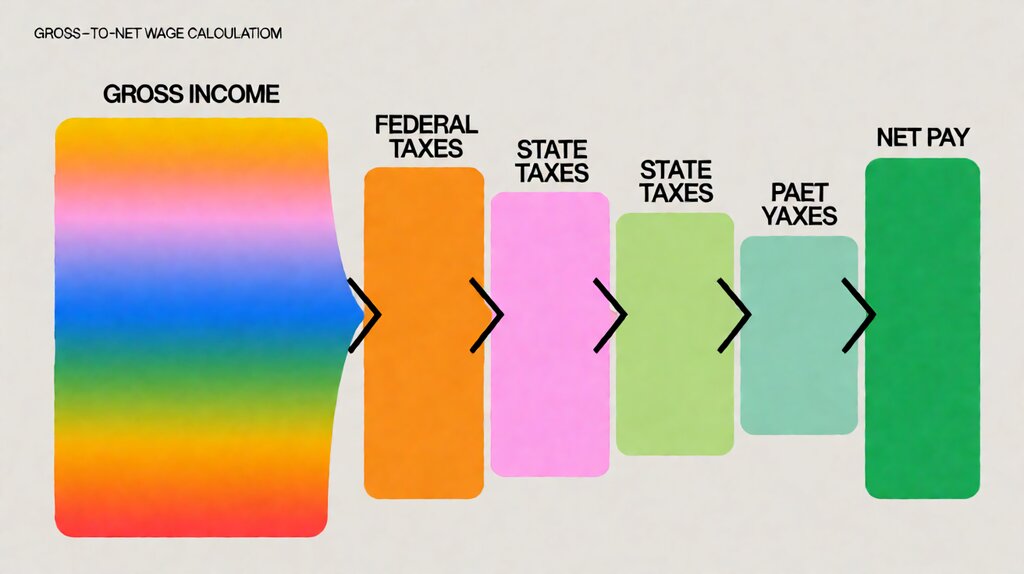
Step 2: service calculates gross-to-net. Starting from gross wages, the service subtracts pre-tax deductions (401k, HSA, medical if section 125 cafeteria plan), calculates federal income tax withholding based on the employee’s W-4 and the IRS withholding tables, calculates FICA (Social Security 6.2% on the wage base + Medicare 1.45% on all wages, plus 0.9% Additional Medicare Tax above $200k), calculates state income tax withholding based on the state’s W-4 equivalent, and arrives at net pay that direct-deposits into the employee bank account.
Step 3: service debits employer bank account for net + employer-side taxes. The employer authorizes an ACH debit. The service pulls net wages + employer FICA match (7.65%) + federal income tax withholding + state income tax withholding + any other items into a master clearing account the service controls. The employer sees the debit on its bank statement two business days before payday.
Step 4: service deposits employee net pay and remits taxes to IRS and state. Direct deposits hit employee accounts on payday.
Federal income and FICA taxes get deposited via EFTPS to the IRS either semi-weekly ($50,000 or more in lookback deposits) or monthly.
State withholding and SUTA get remitted to the state tax agency on the state’s own cadence (monthly, quarterly, or annually based on the employer’s liability).
Step 5: service files periodic returns and year-end forms. Form 941 quarterly (federal payroll tax return) and Form 940 annually (federal unemployment return). W-2 and W-3 by January 31. State equivalents: state withholding returns monthly or quarterly; state unemployment returns quarterly with annual reconciliation. Most services also file the W-2 and 1099-NEC copies to the Social Security Administration and the IRS.
The five non-negotiables every payroll service must do
Before comparing providers on price, confirm these five things. Every legitimate US service offers them; the variance is depth, not whether they exist.
Gross-to-net calculation with current IRS and state tables. The service must update federal income tax withholding tables each January (or whenever the IRS revises them, which happens rarely but does happen) and state withholding tables as states issue them. Stale tables cause withholding mistakes that surface in April.
Tax deposit on the right cadence. Federal deposits are either semi-weekly (Wednesday/Friday) or monthly (15th of following month) based on the IRS lookback rule applied to your prior-year payroll size. State deposits vary by state and employer size. The service must classify your business correctly; misclassification causes late-deposit penalties ($1,250 to $12,500 per occurrence) that are not deductible.
Form 941 and Form 940 filing on time. Form 941 is due the last day of the month following each calendar quarter (April 30, July 31, October 31, January 31).
Form 940 is due January 31.
The service must file automatically; if you have to remember to log in and click submit, the service has shifted the compliance burden back onto you and is not a full service.
W-2 and 1099-NEC generation at year end. W-2s to employees by January 31; W-2/W-3 to SSA by January 31; 1099-NEC to contractors by January 31. The service should generate these forms, file them with the right agencies, and offer state W-2 filing where the state requires it.
New-hire reporting within state deadline. Most states require new-hire reporting within 20 days (some within 14). The service should collect the W-4 and any state-specific form and submit new-hire reports automatically; manually reporting is a separate chore you don’t want.
Full-service payroll, self-service payroll, and PEO: three differentiators
The phrase “full service payroll” gets used loosely in marketing copy. There is a real distinction between three service tiers that changes your liability and your monthly bill.
Self-service payroll. The software does the math; you do the filings.
Patriot Software Basic ($17/month base + $4/employee) is the canonical self-service tier — you enter hours, see the tax calculations, and the service tells you what to deposit where, but you make the deposits and submit the forms yourself.
The cost is low; the operational burden is real for a small team without a finance person.
Full-service payroll. The software does the math AND the filings. Gusto Simple ($40/month base + $6/employee), ADP RUN, Paychex, and the rest of the commercial tier offer full service. The provider runs the math, makes the tax deposits, files Form 941 quarterly and Form 940 annually, generates W-2s, and remits state withholding. The cost is 2-3x self-service but the operational burden drops to near zero.
PEO (Professional Employer Organization). The PEO becomes the co-employer; it pays your W-2 employees directly, files all the taxes under its own EIN, and provides benefits and HR under a single contract.
Justworks is the canonical PEO at $56-149/month per employee.
The benefit: scale on benefits (group health, 401k plans) and a single liability chain.
The trade-off: the PEO owns the EIN-related filings, and changing PEOs later is a one-time filing project.
| Service tier | Math | Filings | Your liability | Cost per employee per month |
|---|---|---|---|---|
| Self-service (Patriot Basic) | Software calculates | You deposit + file | Full | $4 |
| Full-service (Gusto Simple / OnPay) | Software calculates | Service deposits + files | Reduced | $6 — $12 |
| Premium (Gusto Premium / ADP RUN) | Software calculates + priority support | Service + dedicated HR | Minimal | $12 — $25 |
| PEO (Justworks / Rippling PEO) | PEO pays under its own EIN | PEO is co-employer of record | Joint with PEO | $56 — $149 |
For a deeper breakdown on what “full service” specifically means in vendor marketing copy and what it skips, the full service payroll page walks through the included-and-excluded line by line. For the cost math at each plan tier and the per-employee fee math that the vendor sites hide, the payroll service cost page runs the per-page, per-employee, and per-add-on math.
Who needs a payroll service and who can skip it
The decision is rarely price; it’s the date you hire your first W-2 employee or elect S-corp. Before that date, payroll is not legally required. After that date, the cost of getting it wrong exceeds the cost of the service for almost every small business.
You need a payroll service today if you have hired your first W-2 employee, your LLC has elected S-corp and you now owe yourself a “reasonable salary” through payroll, or you have contractors and want a single platform that handles 1099-NEC at year end alongside W-2.
You can delay payroll service if you operate as a sole proprietor with no employees and no S-corp election, you pay only independent contractors (use invoicing plus a 1099 filing service like W9Manager or 1099-Online), or your entire team is contracted through a third-party agency that issues the W-2s on its own EIN.
The honest traps: what payroll providers do not put on the headline price
The advertised price is rarely the price you pay. Most providers structure fees around a base plan and add separate fees per employee, per contractor, per state registration, per W-2 reprint, and per tax filing amendment.
Per-employee fee stacking. Gusto Simple is $40/month base + $6/employee. At 10 employees the math is $40 + $60 = $100/month. At 30 employees it’s $40 + $180 = $220/month. The per-employee fee grows linearly with headcount, which most small-business cost projections overlook.
Per-state registration. If you hire employees in California, Texas, New York, and Florida, many providers charge a one-time $50-$100 per state setup, plus ongoing per-state filing fees. The provider’s monthly cost grows with the geographic footprint of your team.
1099 contractor coverage. Gusto, QuickBooks Payroll, and OnPay include 1099-NEC preparation and filing in the standard tier. ADP RUN charges separately. Patriot’s basic tier does not include 1099-NEC; you need the Full Service tier. Verify before signing up if your team blends W-2 + 1099.
W-2 reprint and amendment. Most providers include one W-2 print and mail per employee per year. Reprints run $5-$20 per W-2. Late corrections to W-2 after SSA’s W-2c deadline are usually $50-$100 per correction. If your employee names or SSNs frequently need correction, the reprint line item adds up.
Multi-state unemployment tax. Some states (California, Pennsylvania, New York) require SUTA to be deposited and reconciled separately from federal. Providers handle this; some charge an extra $5-$10 per state per month for ongoing state withholding and SUTA filings.
What the full audit trail looks like for one pay cycle
Every pay cycle, you should see (in the payroll dashboard) six artifacts: an employer pay-register summary showing all hours worked, gross wages, all withholding buckets, employer FICA match,
and net pay per employee; a per-employee pay stub showing the same numbers from the employee side;
a tax-deposit confirmation showing what was deposited with EFTPS and the state, on what date;
a payroll-journal-entry CSV or journal summary that ties back to QuickBooks Online or Xero;
an audit log of who entered what and when; and a confirmation email or push notification to each employee.
If your provider is missing any one of those six artifacts, the service is hiding work and you are at higher risk of audit or underdeposit surprise.
Choose a payroll service if you are paying W-2 employees
For the comparison of the six credible providers (Gusto, OnPay, QuickBooks Payroll Core, Patriot Full Service, ADP RUN, and Paychex, with Rippling added as the modular alternative), the best payroll service for small business comparison goes through the math at each employee count.
If your question is what “full service payroll” actually includes line by line, the full service payroll page walks through the included-and-excluded scope.
If your question is the total cost at your employee count, the payroll service cost page runs the per-employee and per-state fee math.
For the federal and state paperwork that runs alongside each pay cycle, the payroll tax filing page walks Form 941, Form 940, W-2/W-3, and the state filings cadence.
Last updated: October 2026