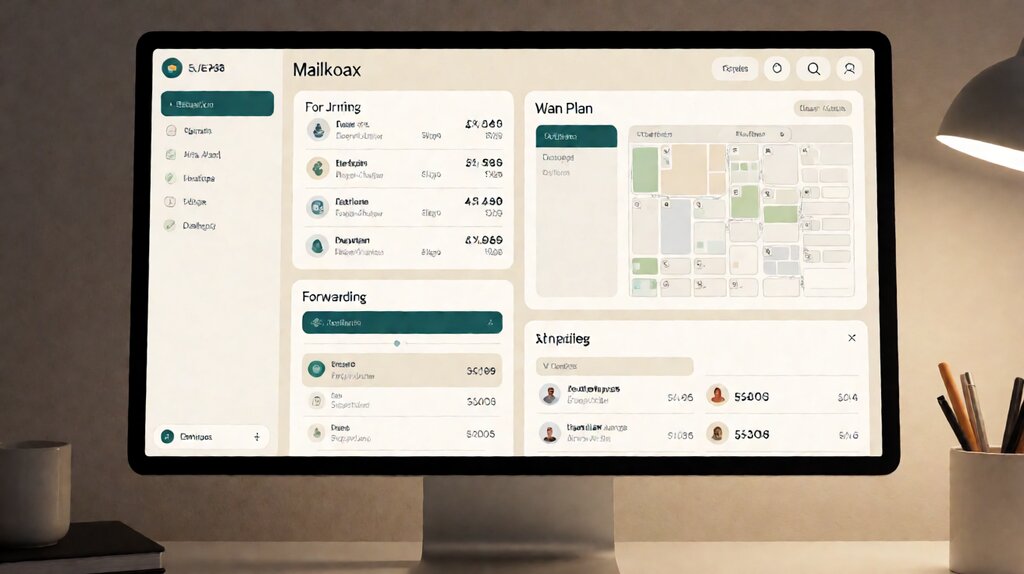

Mail forwarding on a virtual mailbox is the action where, after a piece of mail arrives at the CMRA facility, you ask the operator to send the physical item — not just a scan — to any address in the world.
The envelope or package leaves the facility and is shipped to you by USPS, FedEx, UPS, or DHL, typically with a handling fee per forwarded batch on top of the carrier retail rate.
Forwarding is the action that turns a virtual mailbox from “an address you can put on forms” into “your actual mailbox, wherever you happen to be”.
The reason forwarding exists separately from open-and-scan is that some mail you need in your hands — a notarized contract to sign, an original tax document, a product sample, a piece of jewelry sold online and shipped to your virtual address.
Some mail you only need to read — a credit card statement, an onboarding letter, an IRS notice.
Forwarding is the bridge between “scanned” and “physical” depending on which one your decision requires.
Mail forwarding is the virtual mailbox action that physically moves the original envelope (or package) from the CMRA facility to wherever you are. You pay the carrier retail rate plus a per-batch handling fee.
Key facts: Forwarding is available on every US virtual mailbox plan, usually as on-demand action through the dashboard. USPS First Class forwarding runs $4.95-$7.50 per envelope plus a $3.99-$9.99 handling fee. International forwarding runs $35-$80 depending on weight and destination. Most providers consolidate multiple items into a single shipment; consolidation saves 30-60% on shipping.
Most forwarding on a virtual mailbox costs between $9 and $25 per shipment if you use USPS Priority Mail and consolidate monthly. The shipping cost is the carrier rate; the handling fee is the operator’s per-batch charge. Shipping weight and destination matter more than plan tier — international and 2-lb items run 3x the cost of domestic and 1-oz envelopes.
How mail forwarding works on a virtual mailbox, step by step
The mechanics look complicated the first time but resolve into a four-step flow. Once you understand the flow, the cost and the choice of carrier become obvious.

Step 1: item arrives at the facility. The carrier delivers to the CMRA facility. A staff member logs it to your account and scans the outside. The scan appears in your dashboard with a thumbnail. Email or app notification triggers.
Step 2: you choose the action in the dashboard. For each item, you mark “Open and Scan”, “Forward”, “Hold”, “Shred”, or (on premium plans) “Deposit Check”. Each action has a fee structure. Forwarding is the action that physically moves the item.
Step 3: the operator consolidates or ships immediately. Most providers let you choose between immediate forwarding (each item ships as soon as you mark it) and consolidated forwarding (items held for a window, typically 1-7 days, then shipped together). Immediate is faster but more expensive; consolidated is cheaper but may delay delivery by the consolidation window.
Step 4: the operator packages, labels, and hands to carrier. The envelope or package is bundled with other forwarded items, weighed, labeled with the carrier you chose, and handed off. You receive a tracking number by email. Some operators require a signature on delivery for items above a threshold (typically $200 or 1 lb).
For the address side of the workflow — what the address itself unlocks and where it falls short — the virtual mailing address page covers state-jurisdiction rules and registered-agent boundaries.
The five forwarding modes and when each one fits
Most virtual mailbox providers offer five distinct actions on a piece of mail. Each one maps to a different combination of urgency, cost, and the form of mail you actually need.
1. Open and Scan. The operator opens the envelope, scans each page to PDF, and uploads to your dashboard. Cost: $0.20-$0.50 per page on most plans; bundled on premium plans. Best for: letters, statements, contracts where you need to read the contents but don’t need the original.
2. Forward Original. The operator leaves the envelope closed, packs it, and ships it to you by your chosen carrier. Cost: carrier retail rate + $3.99-$9.99 handling per batch. Best for: original documents, legal contracts with original signatures, physical items, product samples, checks that require physical deposit (less common today).
3. Hold for Pickup. The item sits at the facility until you physically show up (in some cities) or until you authorize a pickup-by-courier (in most cases). Cost: free for the hold period; beyond the free window, daily storage applies. Best for: items you want to bundle into a multi-piece pickup; not common for remote operators.
4. Shred. The operator securely destroys the item and provides a Certificate of Destruction (often as a PDF) on premium plans. Cost: bundled on premium plans; $0.50-$2.00 per item on entry plans. Best for: junk mail, marketing, sensitive documents you’ve already scanned.
5. Deposit Check. The operator endorses the check, photographs it, deposits it to your bank via remote deposit capture or by mail, and uploads a confirmation. Cost: $0.50-$1.00 per check on mid plans; bundled on premium plans. Best for: vendors and customers who still pay by paper check.
| Action | What you get | Typical cost | Best for |
|---|---|---|---|
| Open and Scan | PDF of every page | $0.20 — $0.50 / page | Statements, contracts, onboarding letters |
| Forward original | Physical item in your hand | USPS retail + $5 handling | Originals, samples, large envelopes |
| Hold for pickup | Item waits at facility | Free for 30-60 days | Multi-piece pickups (rare for remote) |
| Shred | Document destroyed, certificate issued | $0.50 — $2.00 / item | Junk, sensitive documents |
| Deposit check | Funds in your bank account | $0.50 — $1.00 / check | Paper checks (still common at SMBs) |
Choosing a carrier for forwarding: when USPS, FedEx, or UPS each makes sense
The choice of carrier for forwarding is set when you click “Forward” — most providers let you pick the carrier per shipment or set a default. Each carrier has a different cost curve, speed, and tracking depth.
USPS First Class. Cheapest option for small envelopes (1 oz or less). Delivery in 2-5 business days domestically. No tracking, no insurance above $100. Cost: $4.95-$7.50. Best for: 1-3 oz envelopes, no tracking requirement, low-value items. The hidden cost: no signature confirmation, so high-value items are lost in transit with no recourse.
USPS Priority Mail. Mid-cost for small-to-medium envelopes (up to 70 lbs) and packages. Delivery in 1-3 business days domestically. Includes $100 of insurance, free tracking, free pickup at your address. Cost: $9.50-$25 domestically. Best for: most business correspondence, signed contracts, small packages. The default choice for virtual mailbox forwarding.
USPS Priority Mail International. Mid-cost for international. Delivery in 6-12 business days to most countries. Includes $100 of insurance and tracking. Cost: $35-$80 to most countries. Best for: international customers needing physical delivery without premium speed.
FedEx 2Day / UPS 2Day. Higher cost than USPS Priority. Delivery in 2 business days with tracking and $100 insurance. Cost: $18-$35 domestically. Best for: items you need urgently, items where US postal service has historically been unreliable.
FedEx International Priority / UPS Worldwide Saver. High cost. Delivery in 1-3 business days internationally. Cost: $40-$80 depending on zone and weight. Best for: international urgent items.
The general rule: default to USPS Priority Mail when the item isn’t urgent. Upgrade to FedEx or UPS 2Day when you need it in 2 business days and the budget is enough to absorb the 2-3x rate.
The cost math at each forwarding volume
Forwarding costs add up differently than plan costs, because the marginal cost per item is consistent regardless of plan tier. Three profiles cover most small businesses.
Forwarding volume 1: solo founder, 4 forwards/month, domestic, USPS Priority. 4 forwards at $13 average + 4 handling fees at $5 = $72/month. If you consolidate into one monthly shipment, 1 forward at $25 + 1 handling fee at $9.99 = $35/month. The consolidation savings of $37/month is the difference between making forward work and forwarding becoming a budget line you reduce.
Forwarding volume 2: small agency with 8 forwards/month, mixed domestic + 1 international. 7 domestic forwards consolidated at $35 + 1 international at $60 + 4 handling fees at $5 = $115/month. Consolidating weekly (4 forwards per shipment) cuts that to $80-$90/month.
Forwarding volume 3: remote team with 30+ forwards/month, all international. US Global Mail Premium includes 30 forwarding credits per month at $129/month flat. Beyond that, $9.95 per additional forward. Stable Team offers unlimited domestic forwarding bundled in $129/month, with international at carrier rate.
For the price tradeoff against simply forwarding all mail at every arrival vs reading the scan and deciding whether to forward, the right pattern is: scan every item (you do this anyway); forward only the items you actually need in physical form (the long tail). A typical founder scans 50 pieces/month and forwards 4. Forwarding becomes a stable monthly bill, not a runaway.
The honest traps: where mail forwarding costs more than expected
Three traps consistently catch first-time forwarding users.
Trap 1: forwarding immediately rather than consolidated. Forwarding each item the moment it arrives triggers a separate shipping label, a separate handling fee, and a separate packaging cost. Most of those costs are billed at retail rate. Consolidating four items into one shipment cuts 60% of the per-item shipping cost and a large fraction of the handling fees.
Trap 2: shipping items that should be scanned. If you forward every piece of mail just because it’s mail, you may be spending $50-$80/month to receive 30 envelopes when $15/month of scan fees would have covered the same content. The rule: if you don’t need the original to take an action, scan.
Trap 3: paying retailer rates without the consolidation toggle. Most operators give you a per-shipment USPS Priority rate that is the same as buying the label yourself at USPS.com.
When you consolidate, the operator may quote you a discounted bulk rate (USPS Commercial Plus, FedEx One Rate with their own discount).
Ask your provider what rate they’re charging — if it’s retail, ask for the commercial rate or move to a provider that offers the bulk rate by default.
Use cases: who actually needs forwarding, and when scan-only is enough
Forwarding is one of the five virtual mailbox actions; for some users it’s the dominant use, and for others it never triggers. Three profiles clarify the difference.
Forwarding-heavy. Digital nomads and traveling SMB owners who only visit home once a quarter. They need physical items on every visit and need the operator to forward batches to their next destination. Forwarding is the entire reason they pay for the virtual mailbox.
Scan-dominant. Solo founders working from one location who don’t want their home address on their LLC. They scan every item, read on their phone, and forward only when the original is required (a notarized document, a small package). Forwarding runs $30-$50/month for most of them.
Address-only. Founders whose only need is a real US street address for filings. They scan occasionally but rarely forward. Forwarding is supplemental; the address is the product.
Choose forwarding the way you choose any other carrier decision
Set up forwarding if you can answer yes to at least two of: (1) you receive original-signed contracts, notary documents,
or originals that must arrive in your hand; (2) you travel often enough that physical mail at a fixed US location doesn’t reach you on a useful timeline;
(3) you receive product samples or merchandise at the address that you want shipped onward;
(4) you’re a non-US founder who needs physical mail forwarded internationally to your home country.
Skip forwarding if you can answer yes to at least one of: (1) you don’t need originals — PDF scans cover everything you do; (2) your mail volume is low enough that consolidating into a single batched shipment isn’t worth the ongoing handling fee; (3) you prefer to fly back to the US and physically pick up items rather than pay shipping costs.
For the operational flow — how the open-and-scan and forward actions fit into the full mail-handling pipeline — the virtual mailbox explained page walks through every action step by step.
For the cost math at each plan tier and forwarding volume, the virtual mailbox cost page runs the full numbers.
For the comparison to the older alternative that doesn’t have any of these actions, the virtual mailbox vs PO Box page covers the difference.
For the provider-level comparison at each tier, the best virtual mailbox service for small business review covers the three providers worth picking from today.
Last updated: October 2026