
DocuSign vs HelloSign (now Dropbox Sign) vs Adobe Sign for a small business is mostly a comparison of three enterprise-leaning signature platforms with different cost curves.
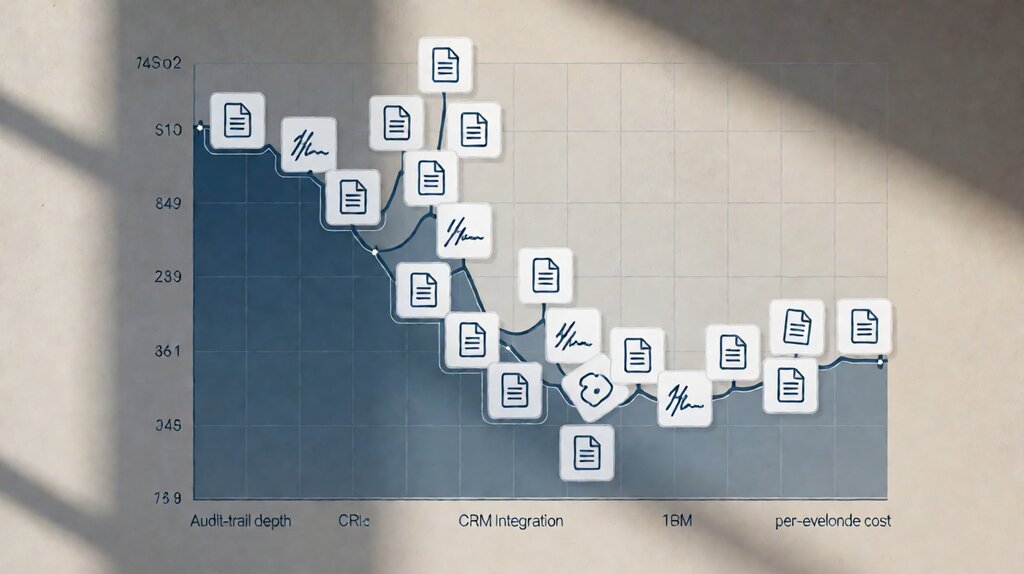
DocuSign is the canonical enterprise leader, deepest audit trail, broadest CRM integrations, highest per-envelope cost.
Dropbox Sign is the cheapest subscription tier with unlimited envelopes at small teams.
Adobe Sign is the Adobe-suite-integrated competitor with US government certifications (FedRAMP, HIPAA) and per-user pricing.
For most US SMBs with fewer than 100 envelopes a month, the right answer is one of these three, with the rest of the field (PandaDoc, SignNow, BoldSign, e-SignLive) more focused on specific verticals.
Run a quick stress-test: if your business sends sales contracts out of Salesforce, and your customers include regulated industries, DocuSign Standard or Premium is the canonical answer at $45-$60/month.
If your business sends HR paperwork, NDA flows, and contractor agreements from a small team setup, Dropbox Sign Standard at $25/month with unlimited envelopes for 2 users is the cheapest.
If your business uses Adobe Creative Cloud or needs FedRAMP/HIPAA compliance, Adobe Sign Pro at $30/user/month plugs into your existing stack.
Pick DocuSign for sales pipelines + regulated industries + audit-trail depth. Pick Dropbox Sign for cheap subscription with unlimited envelopes at 2-5 user teams. Pick Adobe Sign for Adobe-stack integration + FedRAMP/HIPAA. All three honor ESIGN + UETA; all three produce audit-trail PDFs that satisfy ESIGN’s legal-binding requirements.
Key facts: DocuSign Standard is $45/month with 100 envelopes; Premium is $60/month with custom branding.
Dropbox Sign Standard is $25/month with unlimited envelopes for 2 users.
Adobe Sign Standard is $13/user/month with limited envelopes per user; Pro is $30/user/month with unlimited envelopes.
Both Dropbox Sign and DocuSign offer HIPAA-compliant tiers; only Adobe Sign and DocuSign offer FedRAMP.
All three integrate with popular CRMs (Salesforce, HubSpot, Pipedrive) at no extra cost.
At 30 envelopes/month for a 2-person sales team: DocuSign Standard at $45/month = $540/year. Dropbox Sign Standard at $25/month = $300/year. Adobe Sign Pro at $30/user/month for 2 users = $720/year. The cheapest at this volume is Dropbox Sign; the most feature-rich is DocuSign; the most stack-integrated is Adobe Sign.
The 3-way comparison at published rates, October 2026
Numbers come from each vendor’s published pricing page. Enterprise plans are quote-only.
| Dimension | DocuSign Standard | Dropbox Sign Standard | Adobe Sign Pro |
|---|---|---|---|
| Monthly fee | $45/user (1 user minimum) | $25/month | $30/user |
| Included envelopes | 100/user | Unlimited (2 users) | Unlimited (per user) |
| Templates | Yes (5 on Standard) | Yes (unlimited) | Yes (unlimited) |
| Bulk send | Yes (Premium +) | Yes (Premium +) | Yes (Pro +) |
| API access | Enterprise tier | Yes (Standard +) | Enterprise tier |
| CRM integration | Salesforce, HubSpot, Microsoft Dynamics, custom | HubSpot, Pipedrive, Salesforce (limited), custom via API | Salesforce, Microsoft Dynamics, custom |
| Compliance | HIPAA-BAA available, FedRAMP-authorized plans | HIPAA-BAA available (Premium +) | FedRAMP-authorized, HIPAA-BAA available |
| Audit-trail depth | Deepest (Certificate of Completion incl. every signer event) | Standard (signer events recorded) | Deep (Certificate of Completion incl. PKI elements) |
| Mobile signing | First-class mobile app | First-class mobile app | First-class via Adobe Acrobat Reader mobile |
| Free tier | DocuSign Free (3 envelopes/month, personal use) | Dropbox Sign Free (3 envelopes/month) | Adobe Sign Free trial (limited) |
For the per-tier cost math at realistic envelope volumes, the electronic signature cost page covers the published rates and overage fees in detail.
What each platform does better than the others
Each has a definable specialty. The right answer for a small business depends on which specialty fits the contract type and volume.
DocuSign’s strengths. The deepest audit trail in the industry (Certificate of Completion captures every signature event with millisecond timestamps, document hashes, and signer IP+device fingerprint).
The broadest enterprise integrations (Salesforce native connector, Microsoft Dynamics, HubSpot Enterprise).
The mature enterprise contracts (industry-defining since 2003).
The Federal PKI bridge integration for filings that require PKI.
The compliance certifications are the deepest (SOC 2 Type II, HIPAA-BAA, FedRAMP-authorized at the high tier, 21 CFR Part 11 ready for life sciences).
DocuSign’s weaknesses. The entry-tier subscription ($45/month Standard with 100 envelopes/user) is materially more expensive than Dropbox Sign Standard ($25/month unlimited envelopes for 2 users). The API access is enterprise-tier ($5,760/year + per-call fees for eSignature REST API). The mobile app is mature but the desktop UI feels enterprise.
Dropbox Sign (formerly HelloSign)’s strengths. The cheapest subscription tier with unlimited envelopes for 2 users ($25/month), making it the most cost-effective choice for small teams.
The API access is included in Standard and above — best-in-class for SaaS builders who want e-signature in their product without DocuSign’s enterprise API cost.
The dropbox-sign.com experience integrates with the broader Dropbox ecosystem for those who use it.
The mobile app experience is comparable to DocuSign.
Dropbox Sign’s weaknesses. Limited compliance certifications compared to DocuSign (HIPAA-BAA available in Premium and above, FedRAMP-authorized plans available but at enterprise tier). The audit trail is shallower than DocuSign’s. CRM integrations focus on HubSpot first; Salesforce is supported but less deeply than DocuSign’s Salesforce native connector.
Adobe Sign’s strengths. The deepest integration with the Adobe Document Cloud ecosystem. Per-user pricing models with unlimited envelopes at Pro tier. Compliance certifications include FedRAMP-authorized plans and HIPAA-BAA at Pro tier. The Adobe Acrobat Pro DC + Adobe Sign workflow is the canonical choice for legal-firm and finance-team use of signing in tandem with PDF editing.
Adobe Sign’s weaknesses. Per-user pricing adds up quickly for sales teams (5 sales reps on Adobe Sign Pro is $1,800/year versus ~$1,500-$2,000/year for DocuSign Standard which is cheaper at high user counts because per-user pricing diminishes). The CRM integrations are less mature than DocuSign’s Salesforce connector.
The decision by business shape
Each platform fits a different operating model.
Sales-led SMBs that send contracts from Salesforce. DocuSign Standard. The Salesforce native connector sends signed PDFs back as Salesforce records without manual upload; the cost differential ($45 vs $25/month) saves itself 5x in sales-ops time within the first quarter.
Operations-led SMBs that send HR paperwork and NDAs from a small team. Dropbox Sign Standard. Unlimited envelopes for 2 users covers typical SMB operations volume; the API access enables automation at no extra fee.
Adobe-suite SMBs (CC, Acrobat Pro, etc.) that have compliance requirements. Adobe Sign Pro. The Adobe Document Cloud integration is the canonical Adobe AcroPro-to-Adobe-Sign-to-archive pipeline; HIPAA and FedRAMP compliance is available at Pro tier.
Solo freelancers who send 5-10 envelopes per month. DocuSign Free or Dropbox Sign Free. Both free tiers allow 3 envelopes/month for personal use; Adobe Sign has no comparable free tier. The frequency and contract type (NDA, contractor agreement) fit the free tier.
When to use two platforms
Some SMBs run two e-signature platforms. The canonical pattern: Dropbox Sign as primary for cheap subscriptions, with DocuSign or Adobe Sign added for sales-led envelopes that need the deeper audit trail.
The setup cost: maintaining two vendor relationships, two sets of templates, two billing cycles. For a 2-5 person SMB, the operational overhead is real. Dual-vendor setup is rare; pick the platform that fits 80% of the use case and live with the 20% mismatch.
The trade-offs the marketing copy hides
Three classes of cost that the published rate doesn’t include.
DocuSign’s enterprise-brand premium. DocuSign charges 1.5-2.5x Dropbox Sign for comparable subscription tiers. The premium buys breadth of integrations and audit-trail depth, not raw feature coverage. For most SMBs that don’t run Salesforce + need HIPAA compliance, the premium is overkill.
Dropbox Sign’s lower-feature CRM integration. The HubSpot integration is one-click; the Salesforce integration requires API access setup. This is fine for ops-led SMBs; for sales-led SMBs that have standardized on Salesforce, it’s friction.
Adobe Sign’s split-product complexity. Adobe Sign’s instance is distinct from Adobe Acrobat Pro, and the integration is one-way (create an envelope in Adobe Sign; the PDF signing element uses Adobe Acrobat Pro). For SMBs that haven’t paid for Acrobat Pro, the value is partial.
Pick by the shape of your business
Pick DocuSign Standard ($45/month) if you send sales contracts from Salesforce, run regulated industries, or need the deepest audit trail for legal defensibility.
Pick Dropbox Sign Standard ($25/month) if you sign fewer than 100 envelopes/month, have a 2-5 person operations team, or want to add e-signature API to a SaaS product at entry-tier cost.
Pick Adobe Sign Pro ($30/user/month) if you use Adobe Document Cloud or need FedRAMP/HIPAA compliance at this tier.
Pick a free tier (DocuSign Free, Dropbox Sign Free) if you sign fewer than 5 envelopes/month and the free-tier limits work for you.
For the cost math at each tier and the overage math at high volumes, the electronic signature cost page covers the math.
For the structural distinction between electronic and digital signatures (and when PKI certificates are mandatory), the electronic signature vs digital signature page covers the distinction.
For the broader vendor comparison (DocuSign, HelloSign, Adobe Sign, SignNow, PandaDoc, BoldSign) at each volume tier, the best e-signature tool for small business comparison covers the math.
For the regulatory framework that all three providers honor across US ESIGN Act, state UETA, and EU eIDAS, the electronic signature laws ESIGN Act page covers the legal-binding requirements.
Last updated: October 2026