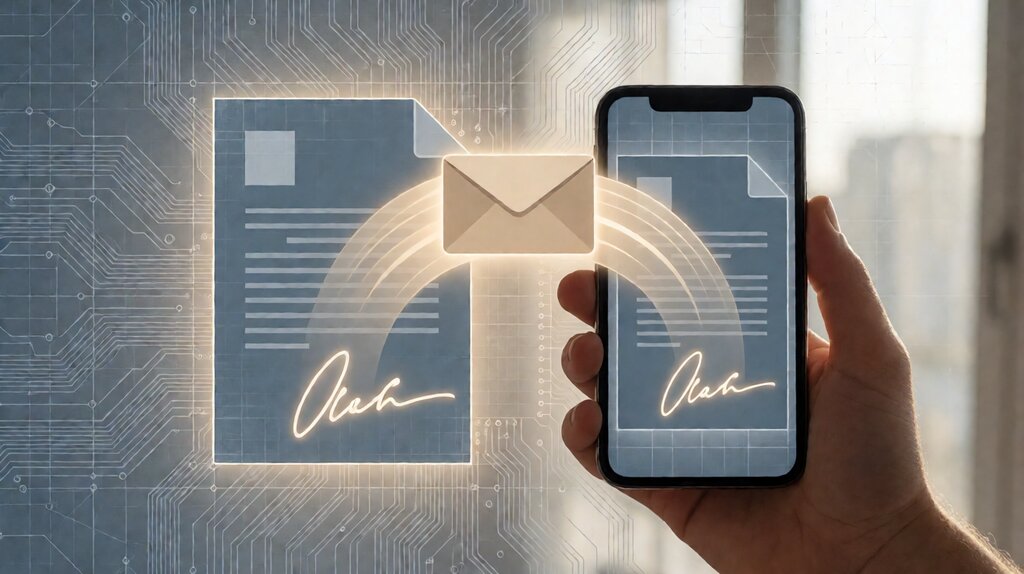

An electronic signature (e-signature) is a legally recognized way to capture a person’s intent to sign a document using an electronic process.
In the United States, the federal ESIGN Act (2000) and the uniform UETA (1999, adopted by 49 states) give an electronic signature the same legal standing as a wet ink signature provided the signing captures intent, the signer consents to use electronic means, and a record of the signature is preserved.
In the European Union, the eIDAS regulation (2014) gives electronic signatures the same legal standing under three tiers (simple, advanced, qualified) with progressively higher evidentiary weight.
Run a quick stress-test: the day you send a contract through DocuSign, HelloSign, or Adobe Sign, you are using an electronic signature.
The platform records the signer’s email, IP address, device fingerprint, and timestamp on each signature event, then attaches the record to the document hash so any later audit can verify the document hasn’t changed since signing.
For most US contracts (NDAs, sales agreements, employment offers), this is the entire flow; for high-stakes European documents (real estate, certain healthcare), the qualified tier plus identity verification (KBA or video) is required.
An electronic signature is the legally recognized capture of intent-to-sign through any electronic process. An electronic signature is not the same as a digital signature; digital signatures are a subset using cryptographic certificates to bind the signer’s identity to the document.
Key facts: In the US, an electronic signature is legally binding under ESIGN Act (2000, federal) and UETA (1999, 49 states).
Three requirements must be met: intent to sign (the signer’s affirmative act), consent to do business electronically (a disclosure or separate agreement), and a record retention (the signed document + audit trail).
In the EU, eIDAS (2014) defines three tiers: simple (any electronic method), advanced (cryptographic + identity verification), and qualified (certified hardware token + EU trust list).
Most US SMB contracts are signed at the simple or advanced tier; qualified is for high-stakes regulated industries.
A US SMB that sends 50 contracts a month uses approximately 2 to 6 hours per month on signature collection. Replacing email-attached-PDF-then-please-sign-and-return (the pre-e-signature flow) with DocuSign or HelloSign reduces that to 15 to 30 minutes a month (template setup + bulk send + automated reminders). The time saving is the largest ROI; the legal-binding question is solved once at platform selection.
How an electronic signature actually works step by step
The mechanics resolve into six steps that happen at every signature event. Once you see the loop, the audit-trail artifact makes sense.
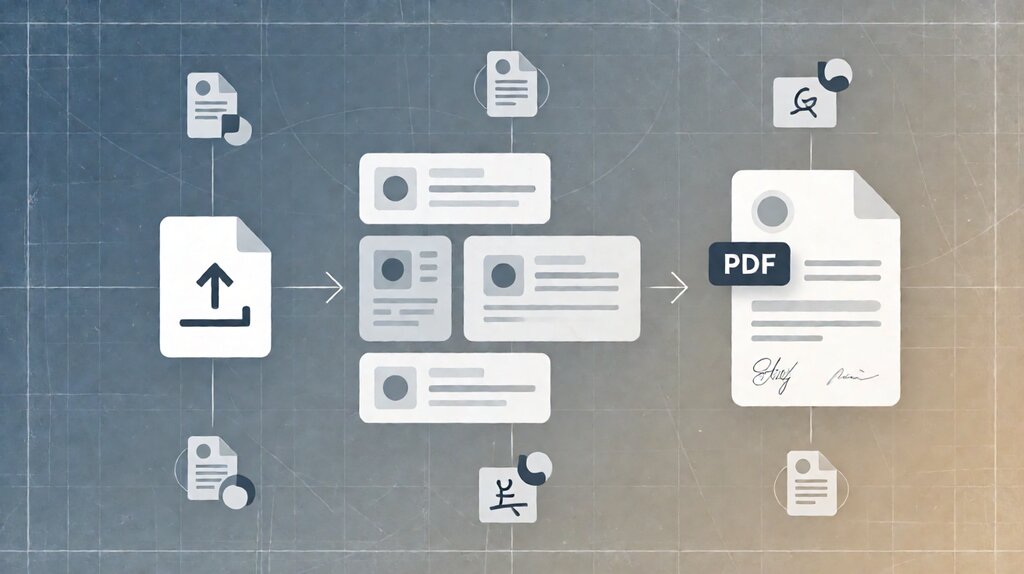
Step 1: prepare the document. Upload a PDF or use a template. For a sales contract, the document is typically a static PDF (no fields). For an HR offer letter, the document is a template with merge fields (start date, salary) that the platform fills from a CSV or CRM record.
Step 2: place signature and data fields. The sender drags signature boxes, date fields, text fields (initials, printed name), and radio buttons onto the document. Most platforms auto-detect common signature spots in a PDF; for a template, the sender saves the layout for reuse.
Step 3: send the envelope. The envelope is the package containing one or more documents and the routing: signer 1, signer 2, copy recipient. The platform sends one email per signer with a unique link. The link is signed with a hash tied to the document, so modifying the document after sending breaks the chain of custody.
Step 4: signer accesses and signs. The signer clicks the email link, lands on a hosted signing page (or embedded widget on the sender’s site), reviews the document, draws/types their signature or initials where required, fills in any data fields, and clicks “Adopt signature” or “Finish”.
Step 5: the platform captures the audit trail. For every signature event, the platform records: signer email, IP address, device fingerprint, geo (city/state/country from IP), timestamp at millisecond precision, the document hash before signing, and the exact signature image or typed-name record.
The audit trail is appended to the document as a PDF page; some platforms (Adobe Sign, DocuSign) embed it as part of the signed PDF.
Step 6: archive and download. Once all parties finish, the platform generates the signed document (with all signatures and audit trail embedded or appended as a Certificate of Completion), the document hash is locked, and the envelope is archived in the platform’s storage for the retention period (typically 7-10 years for HIPAA/financial, customizable to lifetime for legal-firm use).
The five non-negotiables every e-signature platform must do
Before comparing providers on price, confirm these five things. Every reputable US platform offers them; the variance is depth, not whether they exist.
Legal compliance for US contracts. The platform must comply with ESIGN Act and UETA. This means the platform provides an audit trail that captures the four required elements (signer identity, document integrity, intent, consent) and produces a tamper-evident signed PDF for archive.
Multi-recipient envelope with sequential or parallel routing. Real contracts require multiple signers, often in order (signer A signs, then signer B, then notary). The platform must support sequential + parallel routing per envelope, with reminders for unsigned signers.
Template reuse with merge fields. HR paperwork, sales contracts, NDAs are repeat work. The platform must allow template creation with merge fields populated from CSV uploads or CRM integrations. DocuSign, HelloSign, Adobe Sign, SignNow all support this; not all platforms do templates well.
Bulk send for mass envelope (NDAs to many). When 100 candidates need to sign an offer letter from the same template, the platform must support “bulk send” or “mass envelope” — one template, one CSV of merge fields, 100 envelopes created in parallel.
API access for high-volume programmatic use. SaaS platforms that build contracts programmatically (yearly renewal flows, automated compliance paperwork) need an API that creates envelopes from a server. DocuSign eSignature API, Dropbox Sign API, Adobe Sign API all offer this; check whether the API is on the same pricing tier as the UI access.
The three tiers of e-signature under eIDAS
For US contracts, the simple / advanced / qualified distinction matters mostly as a knowledge framework. For EU and EU-adjacent contracts (UK, Switzerland), the tiers matter operationally.
| Tier | What qualifies it | Evidentiary weight | Common use |
|---|---|---|---|
| Simple | Any electronic method to capture intent (typed name, checkbox, click-to-sign) | Admissible as evidence; the platform’s audit trail makes it enforceable | Most US SMB contracts; SaaS subscription agreements |
| Advanced | Cryptographically linked to signer’s identity; unique per transaction | Higher evidentiary weight; presumption of integrity | EU B2B contracts; HIPAA-BAA paperwork |
| Qualified | Cryptographic + signer’s identity verified by qualified trust service provider using a certified hardware token | Highest; equivalent to wet-ink signature under eIDAS | Real estate in some EU jurisdictions, regulated healthcare in some EU countries |
For most US SMB use cases (NDAs, sales contracts, HR paperwork, contractor agreements), the simple tier suffices. The advanced tier is required for HIPAA BAA paperwork and for EU B2B contracts. The qualified tier is rare outside specific regulated industries.
What an electronic signature is NOT
Three common misconceptions worth naming.
Not an email approval. “Reply with your name in the body to approve” is not an electronic signature under ESIGN; it may constitute a separate contractual agreement under common-law contract formation principles, but it is not e-signed in the platform’s sense.
Not the same as a digital signature. A digital signature uses cryptographic certificates (PKI) to bind the signer’s identity to the document. Electronic signatures are a broader category; digital signatures are a more rigorous subset. Confusing the two is common in marketing copy. For the structural distinction, the electronic signature vs digital signature page walks through the cryptographic distinction.
Not notarized unless explicitly added. ESIGN gives electronic signatures legal standing for most contracts. Real estate transactions, certain estate documents, and some healthcare documents require notarization or witness. The electronic signature platform can record the signature; the notarization layer is added separately (remote online notarization through platforms like Notarize or NotaryCam where state-permitted).
Practical implications for a small business
Three operational questions every small business asks in the first six months of using e-signature.
“What does an in-person signing look like?” For an in-person contract (sales meeting, customer in your office), the most common platform is DocuSign in-person signing mode: both parties sign on the same tablet or screen. The audit trail captures both signatures with the same hash chain.
“What does a counter-signed original look like?” Each signer receives a fully-signed PDF with the audit trail embedded. There is no single “original” doc; the audit trail makes any signed copy evidence-grade. For state- or jurisdiction-specific requirements (real estate, certain healthcare, some EU documents), the platform generates a “Certificate of Completion” PDF that summarizes the envelope metadata.
“What about long-term retention?” Most platforms retain signed documents for the term of the contract (7-10 years default for HIPAA and financial; customizable). Document expiration on retention is rare but configurable on DocuSign and Adobe Sign enterprise tiers.
Pick the right platform for your volume and contract type
For the practical comparison among DocuSign, HelloSign (now Dropbox Sign), Adobe Sign, SignNow, and PandaDoc at each volume tier, the best e-signature tool for small business comparison walks through each.
For the cost math at your envelope volume and the freemium vs subscription vs per-envelope trade-offs, the electronic signature cost page covers the math.
For the legal-binding framework across US (ESIGN/UETA) and EU (eIDAS), the electronic signature laws ESIGN Act page walks through the regulatory details.
For the broader freelance workflow that pairs with e-signature — contract templates, lifecycle management, and post-signature invoicing — the best free contract management tool for freelancers page covers the suite layer that wraps the signing flow.
Last updated: October 2026