
Electronic signatures for a freelancer or solo operator are a fit when the work involves recurring paperwork (client agreements, project scopes, NDAs), the cost-conscious operator wants the cheapest path that’s still legally binding, and the volume is 1 to 30 envelopes per month.
The canonical answer for most freelancers is the free or entry-tier plan of DocuSign, Dropbox Sign (formerly HelloSign), or PandaDoc; the tier above these makes sense once envelope volume exceeds 50/month or the contract type requires the deeper audit trail that only the canonical enterprise players provide.
Run a quick stress-test: a freelance consultant who sends 4 client agreements per month + 6 NDAs + 2 contractor agreements + 1-2 closing/termination letters is at 13 envelopes/month.
DocuSign Free covers 3 envelopes/month for personal use; Dropbox Sign Free covers 3 envelopes/month; the cheapest subscription tier that covers 13/month with templates is Dropbox Sign Standard at $25/month (unlimited envelopes for 2 users).
Or, for a 1-person operation, DocuSign Personal Free is the personal-use tier; DocuSign Standard at $45/month is overkill until the volume justifies it.
Pick the free tier (DocuSign Free or Dropbox Sign Free) for fewer than 5 envelopes/month. Pick Dropbox Sign Standard ($25/month) for 5-100 envelopes/month with 1-2 users. Pick DocuSign Standard ($45/month) for sales-led freelancer workflows with Salesforce integration or for regulated-industry contracts.
Key facts: DocuSign Free covers 3 envelopes/month for personal use (cannot be used for ongoing business in most cases).
Dropbox Sign Free covers 3 envelopes/month for personal use, unlimited for 1 user with a personal account.
PandaDoc Free covers 3 documents/month for a single user.
DocuSign Standard is $45/month with 100 envelopes, custom branding, Salesforce native connector, and HIPAA-BAA add-on.
Adobe Sign Pro is $30/user/month for unlimited envelopes with FedRAMP-authorized plans.
A solo freelancer who signs 15 envelopes/month can use DocuSign Personal + Dropbox Sign Free + occasional free trials on competitor platforms for free. At 30-50 envelopes/month with custom branding, Dropbox Sign Standard at $25/month is the cheapest subscription that fits. At 100+ envelopes/month with branded flows and CRM integration, DocuSign Premium at $60/month is the right tier.
What freelancers send through e-signature
Six contract types account for most freelancer envelope volume.
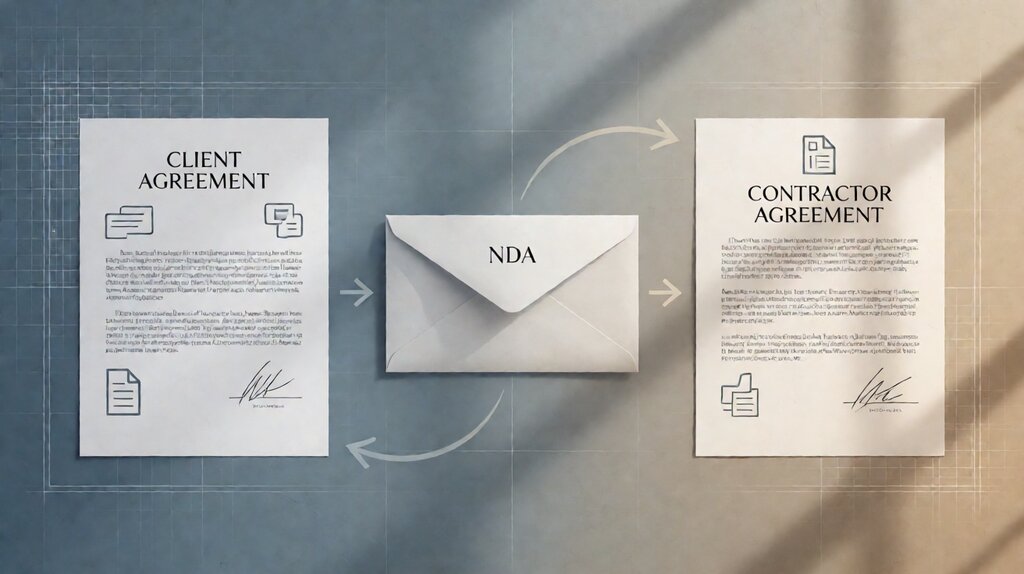
Client agreements / statements of work. The largest recurring envelope. Project scope, deliverables, payment terms, IP assignment. Often 2-3 recipients (client + countersigner; sometimes client + accounting firm). The freelancer typically uses a template to standardize; the platform’s merge fields fill in client name, project name, dates.
Non-disclosure agreements. Sent early in any engagement to lock in the confidentiality conversation. Often 2-party. The volume scales with number of clients and number of inbound inquiries; a freelancer who takes 10 discovery calls per week sends 5-10 NDAs per week.
Contractor agreements. For subcontractors hired for specific project tasks. Includes IP assignment, confidentiality, and hourly vs. project rate. 2-party, lower volume than client agreements but higher volume than NDAs in some lines of work.
Termination / closing letters. Sent at the close of a project. 2-party; lower volume but consistent (one per project).
Marketing commitments and affiliate agreements. For freelancers who run affiliate programs or partner with brands. Lower volume, often 1-party or 2-party. Most platforms are overkill for this; a simpler tooling or even email-approval may suffice.
Receipt-of-payment or final invoice acknowledgments. For freelancers who do net-30 / net-60 invoicing, the closing invoice can require a counter-sign. Lower volume; some platforms integrate with invoicing software.
The cost math at each freelancer volume
Three realistic freelancer profiles cover most operators.
Profile 1: 1-5 envelopes per month. Freelance consultant with 1-2 clients. Dropbox Sign Free ($0, 3 envelopes/month for personal use) or DocuSign Personal Free ($0, 3 envelopes/month for personal use) is enough. Above 5/month, upgrade to Dropbox Sign Standard at $25/month for unlimited envelopes + first 2 user seats.
Profile 2: 5-50 envelopes per month. Freelance with 5-10 clients + occasional subcontractors + recurring NDAs. Dropbox Sign Standard at $25/month covers unlimited envelopes for 2 users + 5 templates; the API access enables simple workflow automations at no extra fee. DocuSign Standard at $45/month adds the deeper audit trail and Salesforce integration if the freelancer’s CRM is Salesforce.
Profile 3: 50-100 envelopes per month. Solo agency with volume. DocuSign Premium at $60/month or Adobe Sign Pro at $30/user/month (1 user = $360/year) with bulk send features. The bulk-send capability saves the freelancer 4-8 hours/month in setup time.
Free tier comparisons
The free tier for each canonical provider differs in subtle ways worth knowing.
| Provider | Free tier limit | Personal use | Templates | Branding |
|---|---|---|---|---|
| DocuSign Free | 3 envelopes/month | Yes (single-user) | No | Standard DocuSign branding |
| Dropbox Sign Free | 3 envelopes/month | Yes (single-user) | Limited (3 templates) | Standard Dropbox Sign branding |
| PandaDoc Free | 3 documents/month | Yes (single-user) | Limited | Standard PandaDoc branding |
| Adobe Sign Free trial | 14 days Pro trial | Trial period only | Unlimited during trial | Standard Adobe Sign branding |
Free tier limits are the same in operational terms (3 envelopes/month), but the branding and template support differ. Most freelancers who go above 5 envelopes/month find that Dropbox Sign Standard at $25/month is the cheapest subscription that has the bulk-send and bulk-templates capabilities needed.
The freelancer-specific use cases
Four common scenarios where the freelancer workflow is materially different from the SMB workflow.
Scenario 1: client agreement sent from a CRM (HubSpot, Pipedrive, Salesforce). DocuSign Standard or Dropbox Sign Standard. The CRM-native connector for DocuSign and Salesforce is best-in-class; HubSpot’s e-signature native connector runs through PandaDoc. Pick the platform whose CRM connector is deepest for the freelancer’s CRM.
Scenario 2: NDAs as the entry point of every engagement. Dropbox Sign Standard at $25/month (unlimited envelopes for 2 users). The high-volume/low-complexity NDA flow doesn’t benefit from DocuSign’s premium features; Dropbox Sign’s unlimited envelopes at the lowest subscription is the canonical answer.
Scenario 3: contractor agreements with IP clauses. DocuSign Standard at $45/month or PandaDoc Standard at $49/month. IP assignment clauses are contractual; the deeper audit trail (DocuSign’s Certificate of Completion) is the operational benefit. PandaDoc adds better template library for IP-heavy contracts.
Scenario 4: regulated-industry contracting (healthcare, legal, financial services). DocuSign Standard with HIPAA-BAA add-on; Adobe Sign Pro with FedRAMP. The BAA (Business Associate Agreement) and FedRAMP authorization are non-negotiable for some industries; verify per industry.
The integration with adjacent freelance tools
For freelancers, e-signature lives in a wider workflow that includes invoicing, payment, contract templates, and time tracking. The integration with these tools matters as much as the platform’s standalone features.
Invoicing tools (FreshBooks, Wave, Bonsai, Honeybook, Dubsado). Bonsai, Honeybook, and Dubsado are the freelance-suite canonical tools that include e-signature as a feature. Bonsai’s e-signature is built in; Honeybook and Dubsado include e-signature as part of their suite. For solo freelancers who need both invoicing and signing, these suites are cheaper than DocuSign + FreshBooks separately ($40/month combined suite vs $80/month).
Payment processors (Stripe, PayPal, Square). Most freelance invoices go through Stripe, Square, or PayPal. None of these include e-signature as a feature; the contract envelope flows separately from the payment envelope.
Contract templates (Bonjoro, Yousign, PandaDoc). PandaDoc is the leader in this niche; PandaDoc templates are richer than DocuSign templates for sales contracts, with multi-page layouts and pricing sections. The downside: PandaDoc is the most expensive entry tier ($49/month) of the canonical signers.
Time tracking and project management (Toggl, Harvest, Notion, ClickUp). These tools don’t include e-signature natively; the freelancer uses DocuSign or HelloSign separately and stores the signed PDF in the project management folder.
The honest traps at the free tier
Three recurring traps when freelancers adopt the free tier.
Trap 1: free tier doesn’t allow templates with merge fields. Most free tiers allow only the static document upload; templates with merge fields (CSV-driven bulk send) require a paid tier. For a freelancer who wants to send the same NDA to 20 clients with name substitution, the free tier requires manual edit per envelope.
Trap 2: free tier branding may include vendor logo on the signing page. DocuSign Free and Dropbox Sign Free both include vendor branding on the signing page; the freelancer’s business doesn’t appear prominently. The “free plan” feels like a vendor demo to the signer.
Trap 3: free tier doesn’t include HIPAA-BAA or FedRAMP compliance. A freelancer who contracts with a HIPAA-covered entity for any reason may need a HIPAA-eligible e-signature plan; verify before committing to a free-tier platform.
Pick the right e-signature for your freelance workflow
Pick Dropbox Sign Standard ($25/month) if your envelope volume is 5-100/month, your team is 1-2 people, and you want unlimited envelopes at the lowest subscription cost. Best for ops-led freelancers (NDAs, contractor agreements, client agreements).
Pick DocuSign Standard ($45/month) if your envelope volume is 30-200/month, you have a 2-5 person operations team, and you need Salesforce integration or the deepest audit trail. Best for sales-led freelancers with regulated-industry clients.
Pick PandaDoc Standard ($49/month) if your freelance work involves sales contracts with multi-page layouts, pricing sections, and template-rich flows. Best for agencies and freelance sales teams doing complex contracts.
Pick a freelance-suite integrated option (Bonsai, Honeybook, Dubsado) if your workflow involves both e-signature and invoicing/contracts/marketing; the integrated suite at $40/month often covers both better than separate tools.
For the cost math at each tier and the overage per-envelope fees at high volumes, the electronic signature cost page covers the math.
For the practical 3-way comparison of DocuSign, HelloSign (Dropbox Sign), and Adobe Sign on tiers and features, the DocuSign vs HelloSign vs Adobe Sign page covers the comparison.
For the broader vendor coverage including SignNow, BoldSign, and PandaDoc at each volume tier, the best e-signature tool for small business comparison covers the math.
For the HR side of the freelancer flow (employee onboarding, contractor W-9 / W-4 collection, offer letters), the payroll for an LLC page walks through the configuration that includes the W-4 + W-9 + contractor agreement paperwork your e-signature platform should handle.
For the broader freelance contract-management suite layer that wraps the e-signature envelope (template library, post-signature document storage, client folder), the best free contract management tool for freelancers page covers the broader workflow.
Last updated: October 2026